What happens after you sign up
-
Confirm your league
Paste your league ID into the signup form. The site will verify the league and show you the name, season and team count.
-
Pick a persona
Choose the character it plays. Every post, trade reviews, recaps, previews, nags, replies comes out based on the persona chosen. This can be changed any time from your account page.
-
Start your free trial
A new league's first 2 weeks are free, then it's $5 a month per league. Add a card on Stripe's checkout page and cancel any time from your account page.
-
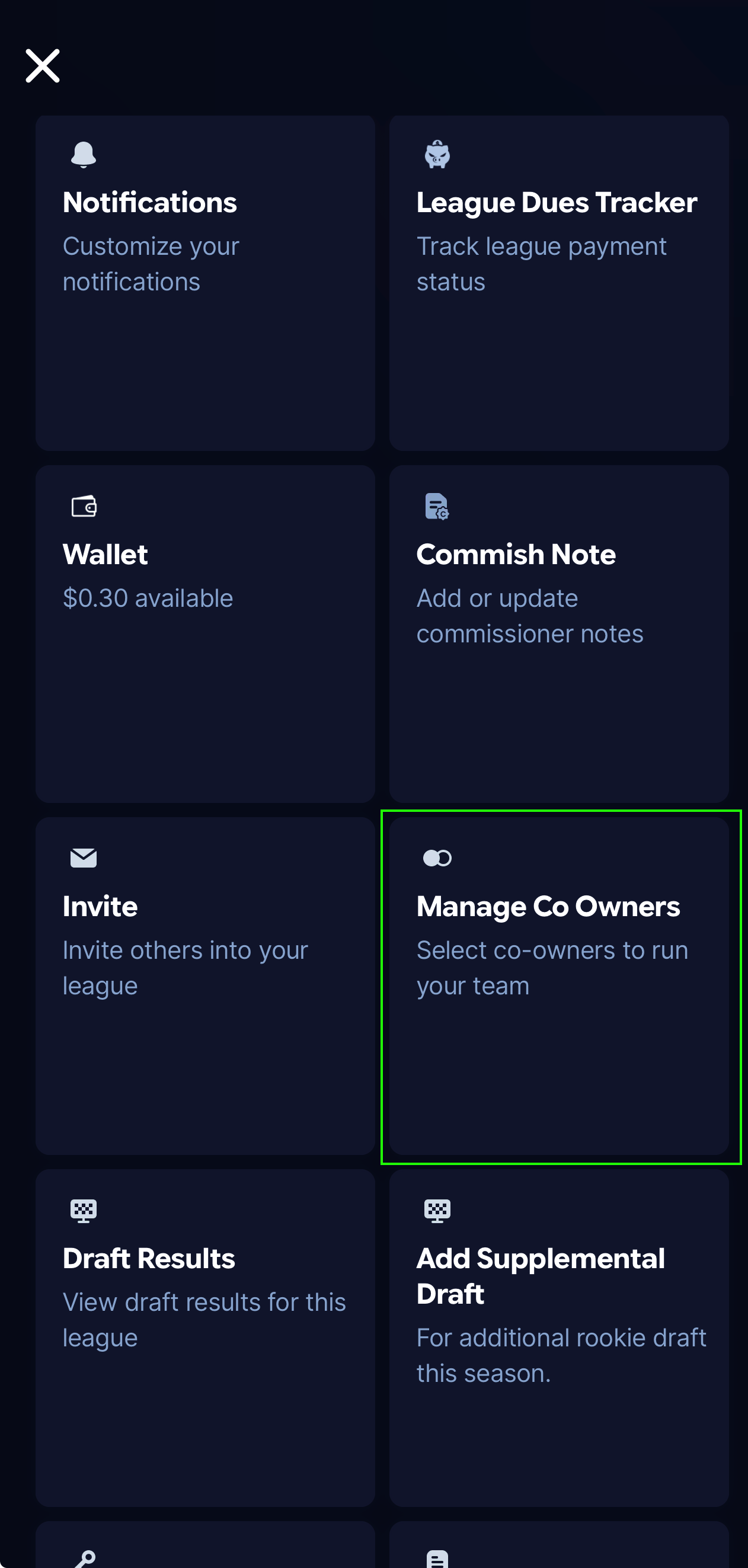
Add the bot as a co-owner
Due to the way Sleeper is currently setup. the easiest way to use the bot is for you to add the bot as a co-owner of a team.
-
It says hello
Once the league ID and trial are confirmed, the bot will introduce itself to the league!
Where to find your league ID
The long number Sleeper uses to identify your league found in the website url or the app.
On the website
Open your league on sleeper.com and read the address bar. The ID is the long number after /leagues/.
https://sleeper.com/leagues/1383671879566381056/league

On your phone
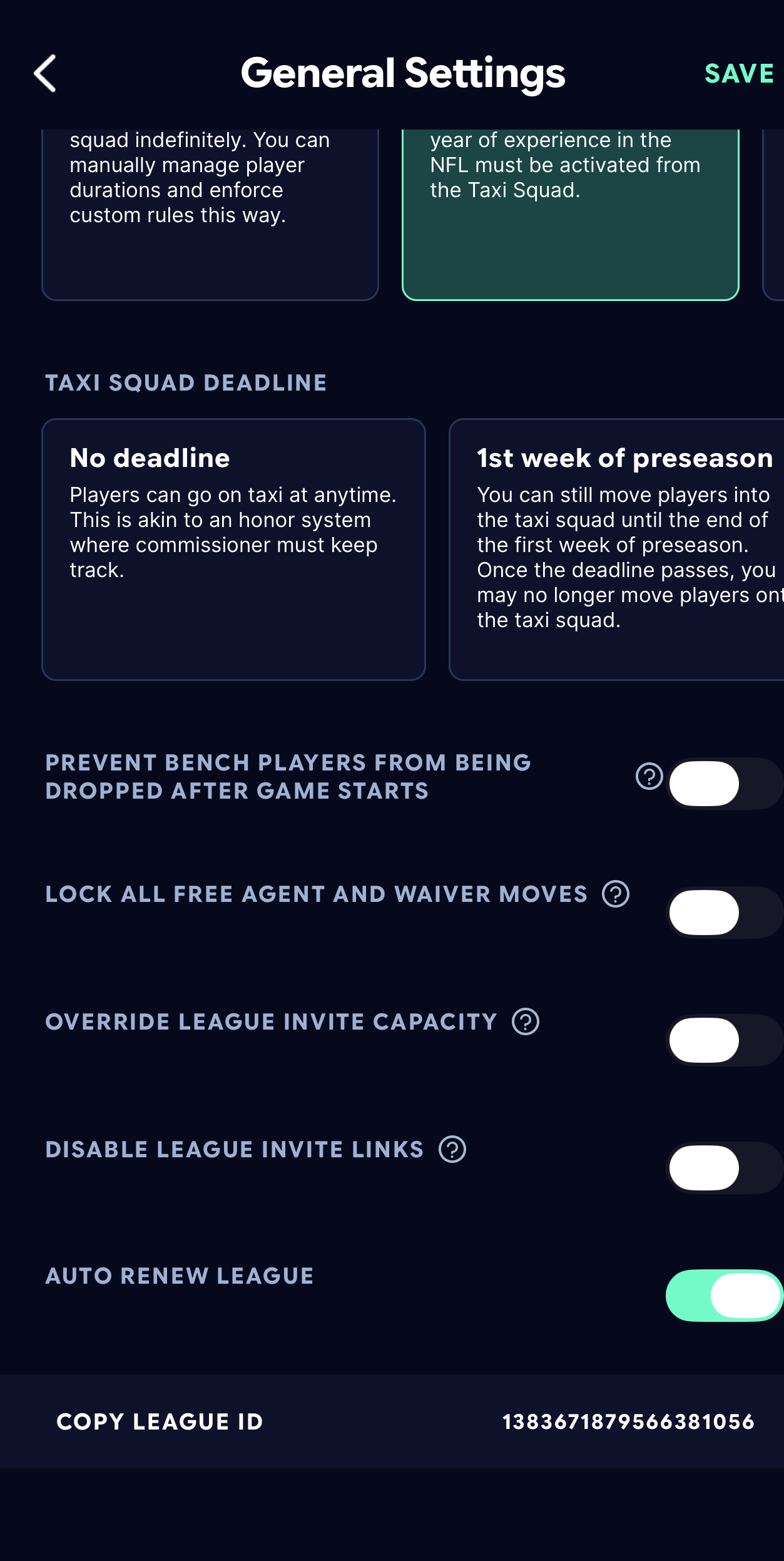
Open your league, then League Settings → General, and scroll to the bottom. The ID sits on the last row, next to “Copy League ID”. Tap it to copy to your clipboard
How to add the bot to your league (If Sleeper chat is chosen)
If you choose Sleeper as the chat interface (not Discord) the bot has to be added to your league as a co-owner of an existing team. Any team works and it can be removed from the same screen.
The account to add: thecommishbot
-
Open your league
This can be done from the website or the mobile app. You need to be a manager of a team in the league, or its commissioner.
-
Go to your team's settings
From the league, open the team you manage and find its manager settings. Commissioners can do this for any team in the league.
-
Add a co-owner
Choose the option to add a co-owner, then search for the handle above. Double check the spelling before you confirm.